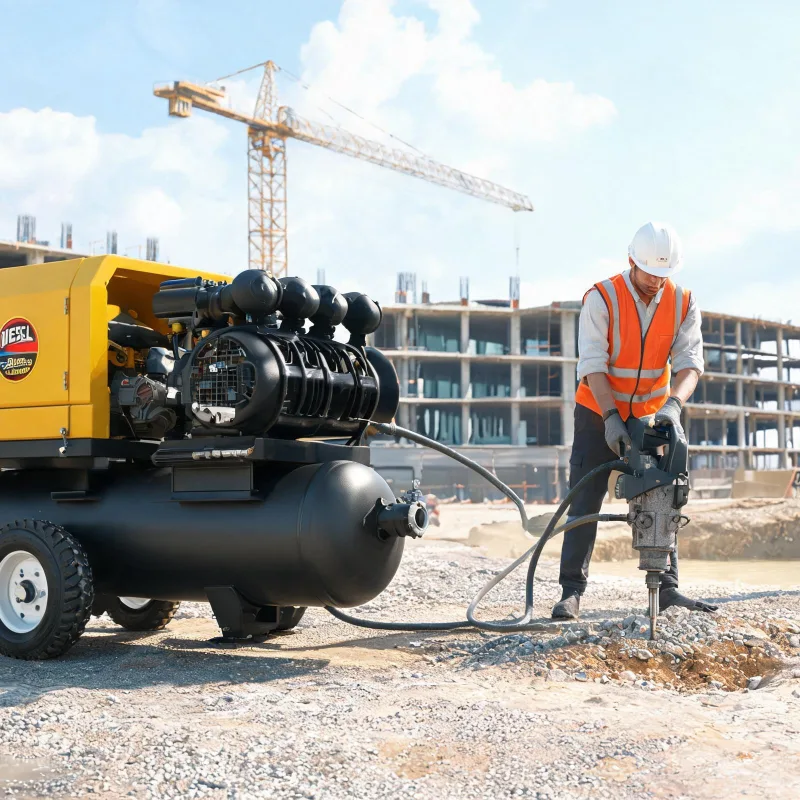
Step-by-Step Walkthrough to Match Working Pressure and CFM for Diesel Driven Air Compressors
Follow these clear steps to match pressure and CFM to your air demand for consistent, efficient operation.
Key Takeaways
- Always prioritize matching working pressure requirement before adjusting CFM output
- Add 10% pressure margin and 10% CFM margin to offset on-site system losses
- Confirm matching with a 30-minute peak load test to check pressure, fuel use and temperature
- Oversizing a compressor leads to higher fuel costs and shorter service life
Related: size compressor correctly · calculate required airflow · avoid performance issues · match output to demand · check pressure rating · adjust compressor load
When should you not attempt to match pressure and CFM manually?
If you’re working with a process that requires strict certified pressure tolerance within 1% error, leave matching to a licensed process engineer. This includes continuous processing applications where even a small pressure drop can shut down production or create safety hazards. For most mobile or intermittent industrial applications that allow 2-5% tolerance, manual matching following industry guidelines is sufficient. Per the Compressed Air and Gas Institute (CAGI) 2022 sizing guideline, this tolerance range is acceptable for most construction and remote site operations.
How do you calculate your actual working pressure requirement first?
Start by adding 10% margin to the highest rated pressure requirement of your connected equipment. First, list the maximum working pressure needed for every tool or device that will draw from the compressor. Identify the highest value on that list. The 10% margin accounts for friction loss in piping and any temporary pressure drops during peak demand. CAGI data from 2022 confirms this margin covers most typical piping setups for mobile applications. To confirm, measure pressure at the farthest point of use while running all tools at full load. That measured value is your final required working pressure.
How do you match CFM to your calculated working pressure?
CFM output scales with working pressure, so you must adjust your total demand after locking in your pressure target. Most users make the mistake of using the compressor’s nameplate CFM without adjustment. A compressor’s rated CFM is only accurate at its nameplate rated pressure. For every 10 PSI your required working pressure exceeds the compressor’s rated pressure, you lose roughly 8% of available CFM. Add up the CFM requirements of all tools that will run at the same time. Multiply that total by a simultaneous use factor (0.8 if three or more tools run together, 0.9 for one to two tools). Then apply the pressure adjustment based on your target working pressure. Add a final 10% margin to account for air leaks and ambient temperature changes.
What field checks can you use to confirm your match?
Test under peak load for 30 minutes and check three observable signals to confirm a correct match. You don’t need specialized lab equipment to validate your match on site. First, check steady state working pressure at the farthest point of use. If pressure drops more than 5% below your target during the test, your CFM is insufficient. Second, check fuel consumption against the manufacturer’s published rating for your load. If fuel use is more than 15% higher than the rating, the compressor is working outside its matched range. Third, check cylinder head temperature with an infrared thermometer. If the running temperature is more than 10°C above the manufacturer’s maximum rating, the unit is overloaded.
What if your demand doesn’t match any standard compressor rating?
Prioritize matching working pressure first, then adjust CFM with extra storage capacity. Never select a compressor that can’t meet your minimum working pressure requirement, even if its CFM matches. Insufficient pressure will never deliver enough power to run your tools. If your adjusted CFM demand is slightly higher than what the compressor that meets your pressure target can deliver, add an extra storage receiver to buffer peak demand. This is a far cheaper solution than upsizing to a larger compressor. Avoid oversizing your compressor just to add extra margin for future expansion. The U.S. Department of Energy 2021 data shows that an oversized compressor with 20% more CFM than needed increases annual fuel costs by 12% on average. I’ve seen multiple projects carry 30%+ extra margin that added tens of thousands in unnecessary fuel costs over the unit’s lifespan.
Buyer Guide
- List all connected equipment and their individual pressure and CFM ratings
- Calculate peak demand based on maximum tools running at the same time
- Select a unit that meets or exceeds your working pressure target first
- Confirm CFM meets adjusted demand after pressure correction
Pitfalls to Avoid
- Matching CFM first before confirming pressure requirement
- Adding more than 25% extra margin just for future expansion
- Ignoring pipe friction loss when calculating total pressure demand
- Assuming CFM output stays the same at all pressure ratings
Glossary
Working Pressure: The actual steady-state pressure required at the point of use to power connected equipment. CFM: Cubic Feet per Minute, a standard measure of airflow output from an air compressor. Pressure Correction: Adjusting available CFM output for a higher than rated working pressure.
Further Reading
- 2024 CFM Calculation Best Practices for Sizing Diesel Driven Air Compression Units
- How to Accurately Calculate CFM Output for High Pressure Diesel Driven Air Compressors
- Training Brief: CFM Sizing for Diesel Air Compressors on Large Construction Sites
- Calculating CFM and Pressure for Safe High-Load Continuous Diesel Compressor Operation
- 2024 Updated Steps to Check Pressure & CFM Ratings for Diesel Portable Air Compressor
- Complete Guide to Calculating CFM & Pressure for Diesel Portable Air Compressor Selection
- How Shifting Large Industrial Project Requirements Change CFM Sizing for Diesel Powered Air Compressors
- How to Calculate CFM and PSI Requirements for Air Compressors
About the Editorial Team
Frequently Asked Questions
Do I need to account for air pipe loss when calculating requirements?
Yes. Add 1 PSI of pressure for every 100 feet of 1-inch pipe to your total requirement to offset friction loss.
Can I use a lower pressure compressor if I add a booster?
It is not recommended for continuous use. Boosters add extra cost and fuel consumption that outweigh any savings on a smaller unit.
How much extra margin should I add for future expansion?
Add 15% extra CFM if you plan to add tools within three years. Avoid adding more than 25% to avoid excessive fuel costs.
Does ambient temperature affect the matching?
Yes. High ambient temperature reduces air density and effective CFM output. Add 5% extra CFM for constant operation above 90°F.
What happens if I get the match wrong?
A mismatch causes either insufficient power to run tools, or excessive fuel consumption and premature wear that increases long-term operating costs.